TLKey Takeaway
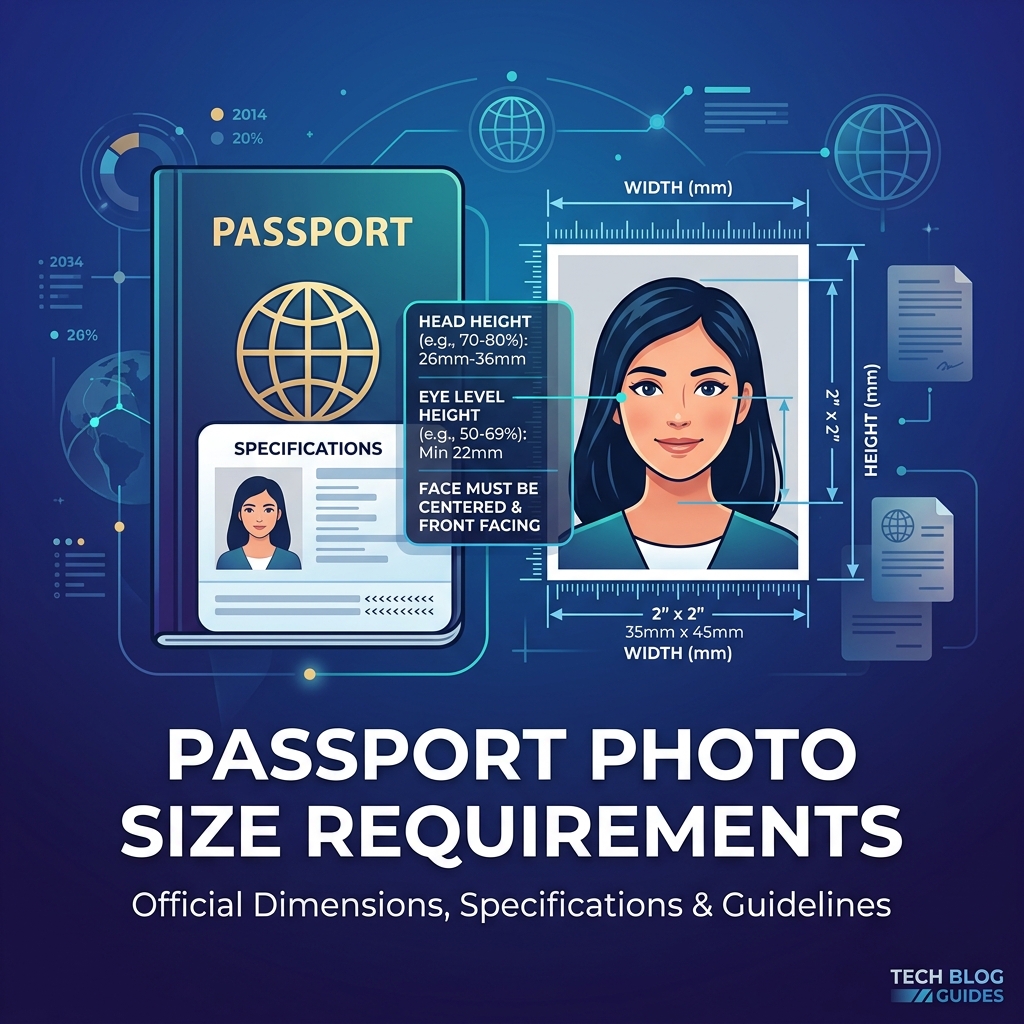
Indian passport photos must be 3.5 cm × 4.5 cm (413 × 531 pixels at 300 DPI), between 10 KB and 300 KB, in JPEG format with a white or light-grey background. Use MinifyPic’s Passport Photo tool to crop, resize, and compress to exact specifications.
Indian Passport Photo Specifications (2026)
Physical Photo (For Print)
| Parameter | Requirement |
|---|---|
| Width × Height | 3.5 cm × 4.5 cm (35mm × 45mm) |
| Head Height | 25mm — 35mm (70-80% of frame) |
| Background | Plain white or off-white |
| Expression | Neutral, mouth closed |
| Eyes | Open and clearly visible |
Digital Photo (For Online Upload)
| Parameter | Requirement |
|---|---|
| Pixel Dimensions | 350 × 350 px (square) |
| File Size | 10KB — 300KB |
| Format | JPEG only |
| Color | Full color (no B&W) |
> Important: The online upload format (350×350 square) is different from the physical print format (3.5×4.5 rectangular). Don't mix them up.
How to Create a Passport Photo Online
Step 1: Take the Photo
Use your phone's rear camera against a plain white wall with even lighting.
Step 2: Create the Passport Photo
Open MinifyPic's Passport Photo Maker, select "India — Passport," and adjust the crop.
Step 3: Compress to Required Size
Use Compress to Size with a target of 100KB.
Step 4: Verify
Use Image Size Finder to confirm dimensions and file size.
Passport Photo Sizes for Other Countries
| Country | Photo Size | Pixels | File Size Limit |
|---|---|---|---|
| 🇮🇳 India | 3.5 × 4.5 cm | 350×350 (online) | 10KB — 300KB |
| 🇺🇸 USA | 2 × 2 inches | 600×600 px | Under 240KB |
| 🇬🇧 UK | 3.5 × 4.5 cm | 600×750 px | Under 10MB |
| 🇨🇦 Canada | 5 × 7 cm | 420×540 px | Under 4MB |
| 🇦🇺 Australia | 3.5 × 4.5 cm | 413×531 px | Under 5MB |
Common Rejection Reasons
- Wrong dimensions — Using print dimensions for online upload
- File too large — Phone photos are typically 3-8MB
- Non-white background — Even slightly colored backgrounds get flagged
- Face too small — Should fill 70-80% of the frame
- Wrong format — Uploading PNG instead of JPEG
FAQ
Q: What is the exact pixel size for Indian passport photo? A: 350×350 pixels in JPEG format, between 10KB and 300KB for online upload.
Q: Can I take a passport photo with my phone? A: Yes. Use the rear camera against a white wall with good lighting.
Q: Do I need to go to a photo studio? A: Not necessarily. With a good phone camera and proper lighting, you can create a compliant passport photo at home.