TLKey Takeaway
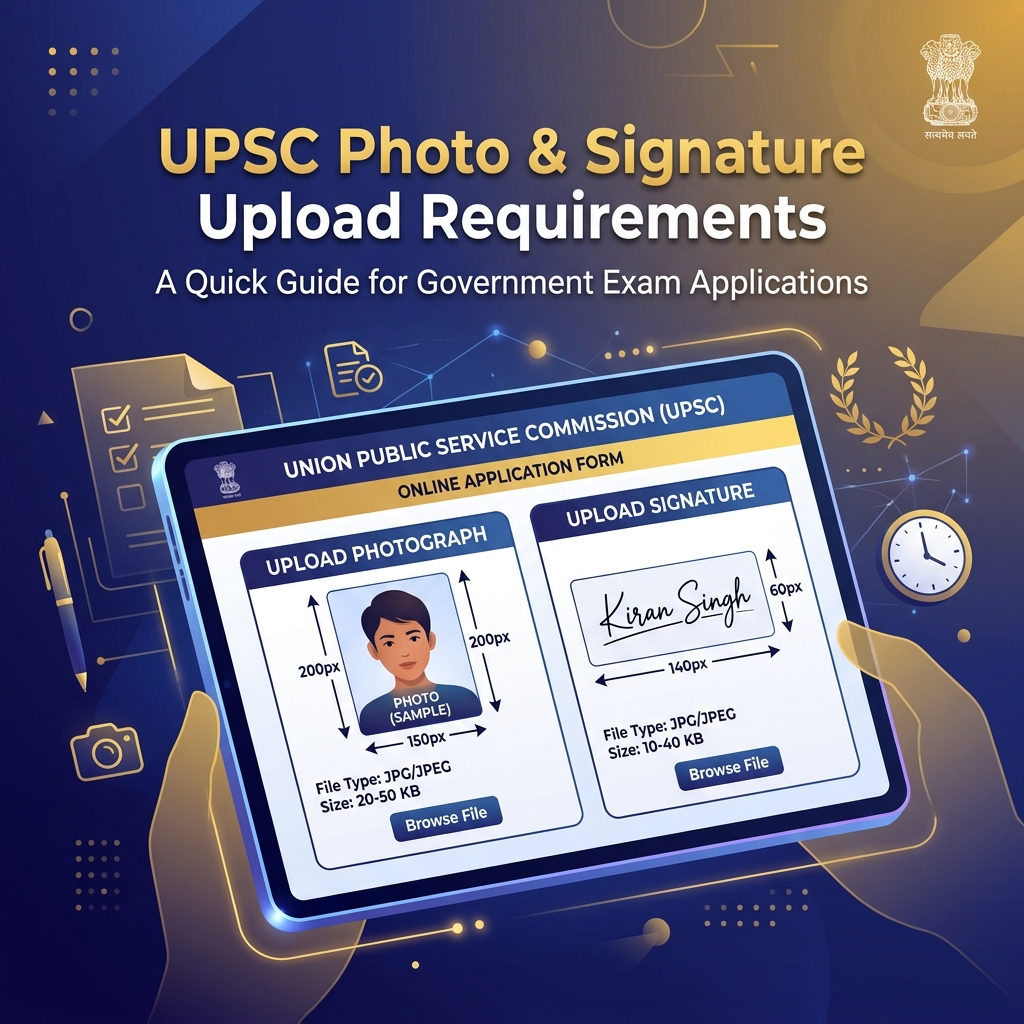
UPSC requires photos to be 2 cm × 2.5 cm (236 × 295 px at 300 DPI), 20–300 KB in JPEG format. Signatures must be 2 cm × 7 cm (236 × 827 px at 300 DPI), 10–300 KB. Both need a white background and clear visibility.
UPSC Photo Upload Requirements
| Parameter | Requirement |
|---|---|
| File Format | JPEG only |
| Dimensions | 150 × 200 pixels (width × height) |
| File Size | 20KB — 300KB |
| Background | Plain white or light-colored |
| Recency | Within last 6 months |
UPSC Signature Upload Requirements
| Parameter | Requirement |
|---|---|
| File Format | JPEG only |
| Dimensions | 150 × 80 pixels (width × height) |
| File Size | 10KB — 200KB |
| Background | Plain white paper |
| Ink Color | Black or dark blue |
Prepare Your Photo — 3 Steps
Step 1: Take a photo against a white background using your phone's rear camera.
Step 2: Open MinifyPic's Image Resizer and set dimensions to 150 × 200 pixels.
Step 3: If file size exceeds 300KB, use Compress to Size targeting 100KB.
Prepare Your Signature — 4 Steps
Step 1: Sign on clean white paper using a black pen.
Step 2: Photograph the signature with good lighting.
Step 3: Crop tightly using Image Cropper, then resize to 150 × 80 pixels.
Step 4: Compress to 15KB using Compress to Size.
Exam-Specific Variations
| Exam | Photo | Signature |
|---|---|---|
| CSE (Civil Services) | 150×200 px, 20-300KB | 150×80 px, 10-200KB |
| CAPF | 150×200 px, 20-300KB | 150×80 px, 10-200KB |
| CDS | 150×200 px, 20-300KB | 150×80 px, 10-200KB |
| NDA | 150×200 px, 20-300KB | 150×80 px, 10-200KB |
Common Errors & Fixes
| Error | Fix |
|---|---|
| "Invalid file format" | Convert to JPEG using the Format Converter |
| "File size too large" | Use Compress to Size |
| "Invalid dimensions" | Use Image Resizer with exact dimensions |
| "Image not clear" | Retake in better lighting with rear camera |
FAQ
Q: Can I use a selfie for UPSC application? A: Not recommended. Selfie cameras produce lower quality and slightly distorted proportions. Use the rear camera.
Q: Are specifications the same for Prelims and Mains? A: Yes, the same photo and signature are used for both stages.
Q: My photo keeps getting rejected. What should I do? A: Verify with Image Size Finder: (1) format is JPEG, (2) dimensions are exactly 150×200 px, (3) file size is 20-300KB.